- Go to Modules.

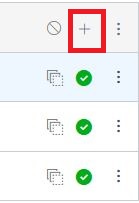
- In the top right corner of the module you would like to add the assignment to, click the + icon.
- In the drop down menu, make sure that Assignment is selected.

- To create a new assignment, select [New Assignment] [1]. Then give it a name [2] and click Add Item.

- To add an existing assignment, select the name of the assignment from the list and then click Add Item.
